


Why Website Projects Go Off Track
Most website projects don’t fail because of bad design or bad code. They drift because of things decided too late, or not at all:
- Goals that were never written down
- No single owner with authority to make decisions
- Content that arrives weeks after the design is finished
- Integrations, tracking and legal requirements discovered at the last minute
A checklist won’t make your project rigid. It just makes sure the important decisions happen at the right time.
Planning
1. Define the website’s main goal
Is it enquiries, bookings, sales or applications? Write it down in one sentence, and make sure every page supports it.
2. Appoint one owner
Choose one person with real decision-making power. Committees slow projects down and produce compromises nobody likes.
3. Know your audience
List your three to five most important visitor types, what they need to know and what makes them trust you.
4. Plan the sitemap
Map every page before design starts: services, locations, case studies, about, contact and resources.
5. Map keywords to pages and prepare content early
Give each important page one main search term, and make sure no two pages target the same one. Then treat content as its own workstream with owners and deadlines. Content delays are the most common reason websites launch late.
Design and User Experience
6. Design for mobile first
Most visitors will arrive on a phone, and Google primarily uses the mobile version of your site for indexing. Design and test the mobile layout first, not last.
7. Make the next step obvious
Every page needs a clear call to action: call, WhatsApp, book or enquire. Keep it visible without making visitors scroll back up.
8. Show trust signals
Reviews, client logos, case studies, certifications, team photos and real addresses all help visitors trust you.
9. Make it readable and accessible
Use clear fonts, good colour contrast, descriptive buttons, keyboard-friendly navigation and alt text on images. The Web Content Accessibility Guidelines (WCAG) are the standard to work towards, with level AA as a sensible target.
Speed, Security and Technical Setup
This part of the website development checklist is often invisible to business owners, but it affects both rankings and conversions.
10. Hit your Core Web Vitals
Google’s Core Web Vitals measure loading, responsiveness and visual stability. Aim for these “good” thresholds:
| Metric | What it measures | Good |
|---|---|---|
| Largest Contentful Paint (LCP) | How quickly the main content loads | 2.5 seconds or less |
| Interaction to Next Paint (INP) | How quickly the page responds to taps and clicks | 200 milliseconds or less |
| Cumulative Layout Shift (CLS) | How much the layout jumps while loading | 0.1 or less |
Test key pages with PageSpeed Insights on mobile, not just desktop.
11. Optimise images and code
Compress images, use modern formats such as WebP, size them correctly for each device and lazy-load images below the fold. Remove unused plugins and scripts.
12. Choose reliable hosting with caching
Cheap shared hosting can slow your site and cause downtime. Choose hosting suited to your traffic, with server-side caching and a content delivery network if your visitors are spread out.
13. Secure the site
Every page should load over HTTPS without warnings. Add basic security headers, such as HSTS and X-Content-Type-Options, use strong passwords and two-factor login for admin accounts, and limit who has admin access.
14. Set up backups and monitoring
Automatic daily backups stored off the server, uptime monitoring and security scanning. Test that a backup can actually be restored.
SEO Foundations
15. Write unique titles and meta descriptions
Each page needs its own title and description that match what people search for.
16. Use a clear heading structure
One H1 per page, followed by logical H2 and H3 headings.
17. Add structured data
Schema markup for your organisation, local business, services, articles and FAQs helps search engines and AI answer engines understand your content.
18. Check crawling and indexing settings
Submit an XML sitemap, check your robots.txt file and make sure canonical tags point to the right URLs.
19. Plan redirects from your old website
If URLs change, set up 301 redirects so you keep existing rankings and links. Map every old URL that gets traffic or links.
20. Link your pages together
Internal links help visitors find related information and help search engines understand which pages matter most. Avoid “orphan” pages with no links pointing to them.
Forms, Tracking and Data
21. Test every form
Submit every form on desktop and mobile, and confirm the enquiry reaches the right inbox or CRM. Check error messages and thank-you pages too.
22. Set up analytics and Search Console
Install Google Analytics 4 and verify Google Search Console before launch, so you have data from day one.
23. Track the actions that matter
Track form submissions, calls and WhatsApp clicks as conversions, so you know which pages and campaigns bring enquiries. Test them in GA4’s DebugView before launch.
24. Ask for consent properly
Add a clear privacy notice and consent wording to forms, and respect cookie and analytics consent. In India, the Digital Personal Data Protection Act, 2023 governs how personal data is collected, and its rules bring most consent and notice obligations into force from May 2027. See the government’s overview of the DPDP Rules, 2025. It’s easier to build this in now than to retrofit it later.
Launch and After
25. Run a final launch check
Before you announce the new site, check these items:
| Check | Why it matters |
|---|---|
| “Discourage search engines” setting is turned off | A common mistake that blocks indexing |
| Staging links and test content removed | Avoids duplicate and placeholder pages |
| Site tested on Chrome, Safari, Android and iPhone | Catches layout issues |
| Custom 404 page in place | Helps lost visitors find their way |
| Contact details correct everywhere | Phone, WhatsApp, email and address |
| Redirects tested | Protects existing rankings |
| Sitemap submitted in Search Console | Speeds up discovery |
| Conversions firing in GA4 | Makes sure enquiries are measured |
After Launch: The First 90 Days
| When | What to check |
|---|---|
| Week 1 | Search Console errors, broken links, form deliveries, conversion tracking |
| Month 1 | Core Web Vitals, top pages, where enquiries come from |
| Month 2 | Pages with high traffic but few enquiries, and what to improve |
| Month 3 | Rankings, new content plan, case studies to add |
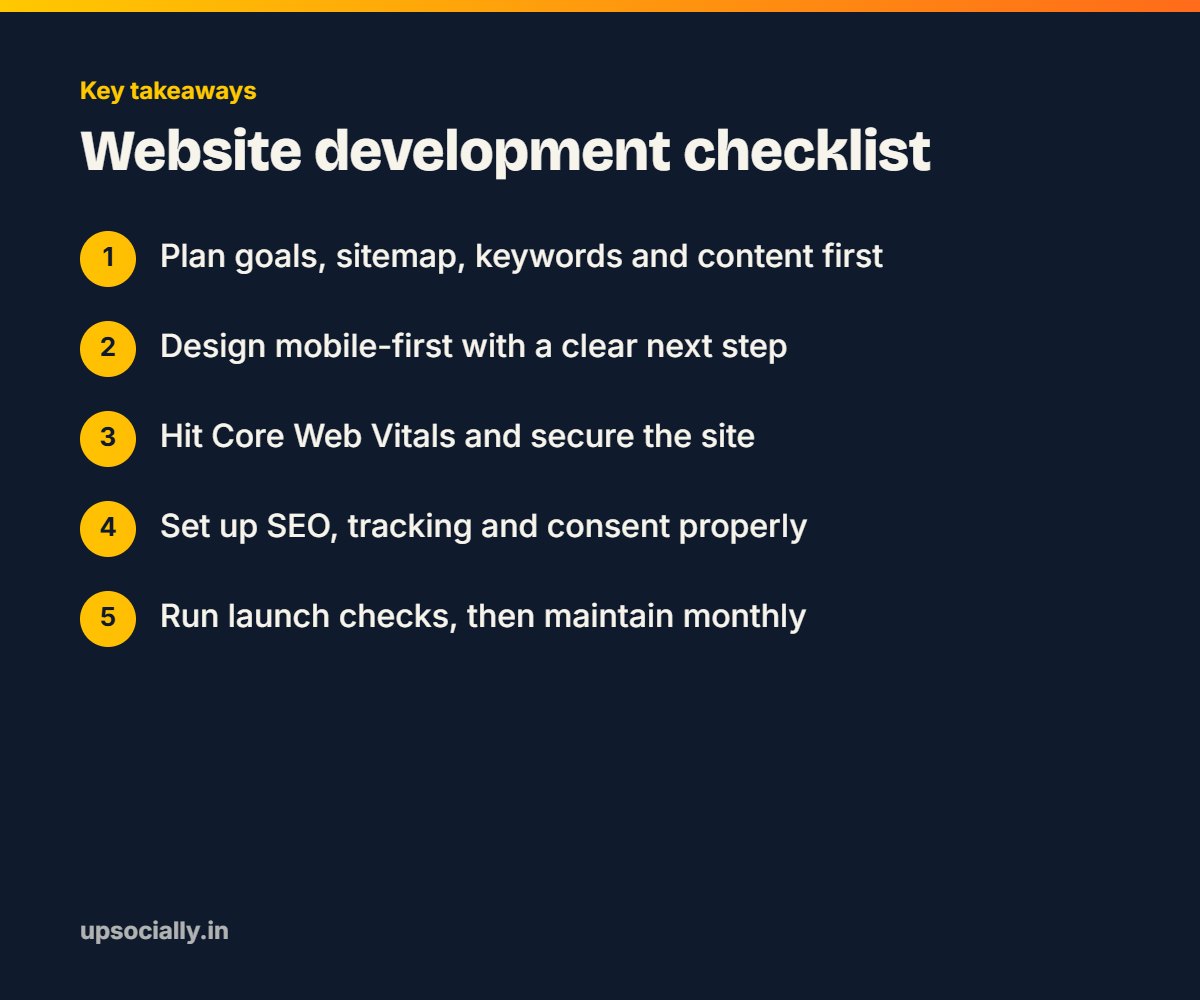
After that, keep the site maintained: update plugins and themes, publish new content, add case studies and review analytics every month.
The Complete Website Development Checklist at a Glance
| Stage | Checklist items | Usual owner |
|---|---|---|
| Planning | 1–5: goal, owner, audience, sitemap, keywords and content | Business owner with agency |
| Design and UX | 6–9: mobile-first, calls to action, trust, accessibility | Designer |
| Speed and security | 10–14: Core Web Vitals, images, hosting, security, backups | Developer |
| SEO | 15–20: titles, headings, schema, indexing, redirects, links | SEO specialist |
| Forms and data | 21–24: forms, analytics, conversions, consent | Developer and marketer |
| Launch | 25: final launch checks | Whole team |
How to Use This Website Development Checklist
If you’re building a new website, share this list with your developer at the start and agree who is responsible for each item.
If you already have a website, go through the list and mark each item as done, partly done or missing. Start with the items that affect enquiries: forms, tracking, speed and calls to action.
Some industries need extra items. Healthcare websites need doctor profiles, booking and patient-data care, as we explain on our healthcare website development page. Construction companies need detailed project pages, covered on our page for website development for construction companies.
Final Thoughts
A good website doesn’t come from design alone. It comes from careful planning, solid technical foundations and attention to the details that turn visitors into enquiries.
Use this website development checklist to avoid the most common mistakes and launch with confidence.
Learn more about our website development services, or see our pages for website development in Bangalore and website development in Chennai. You’ll also find answers in our web design and development FAQs.
Frequently Asked Questions
What should a website development checklist include?
Planning (goals, sitemap, keywords, content), design and usability, speed and security, SEO basics, forms and tracking, data consent, launch checks and ongoing maintenance.
What is the most common mistake when launching a website?
Leaving the ‘discourage search engines’ setting on, which stops Google from indexing the site. Broken forms and missing conversion tracking are also very common.
What are good Core Web Vitals scores?
Google considers a Largest Contentful Paint of 2.5 seconds or less, an Interaction to Next Paint of 200 milliseconds or less and a Cumulative Layout Shift of 0.1 or less to be good, measured at the 75th percentile of visits.
How long does it take to build a business website?
It depends on the number of pages, features and how quickly content is ready. Content preparation is often the biggest factor in the timeline.
Do I need SEO when building a new website?
Yes. Page structure, URLs, titles, headings, speed and redirects are much easier to get right during development than to fix after launch.
How often should a website be maintained?
Software updates, security monitoring and backups should run continuously, and it’s worth reviewing analytics, content and performance at least once a month.