In a small business, one person often does the work of three: answering enquiries, updating the sales sheet, sending invoices, chasing payments and building the weekly report. None of it is hard. All of it takes time, and most of it follows the same steps every day.
That is why AI automation for small businesses often pays back faster than it does in large companies. You do not need a big IT team or an expensive platform. You need two or three well-chosen workflows that take the most repetitive work off your team’s plate. Here are ten worth automating first, with the tools Indian businesses typically use for each.
Key takeaways
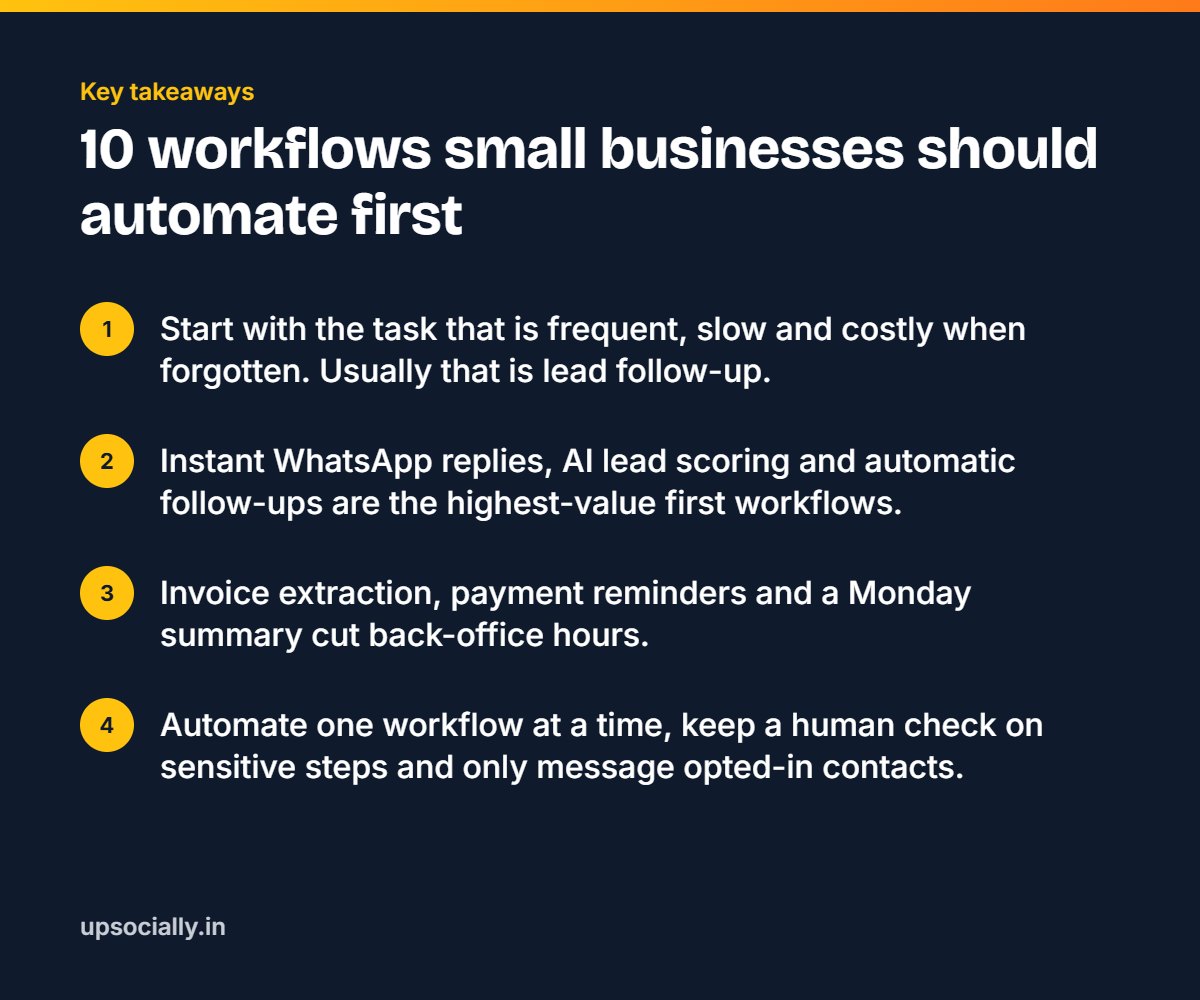
Start with the task that is frequent, slow and costly when forgotten. Usually that is lead follow-up.
Instant WhatsApp replies, AI lead scoring and automatic follow-ups are the highest-value first workflows.
Invoice extraction, payment reminders and a Monday summary cut back-office hours.
Automate one workflow at a time, keep a human check on sensitive steps and only message opted-in contacts.
Getting started with AI automation for small businesses: pick the right first workflow
Start by listing every task your team repeats at least weekly. For each one, note how often it happens, how long it takes and what goes wrong when someone forgets. The best first workflow scores high on all three: frequent, slow and costly when missed.
Lead follow-up almost always wins this test. A lead that waits four hours for a reply is far less likely to convert than one answered in minutes, and every business with a contact form or ad campaign has this problem.
Sales and lead workflows
1. Instant reply to every new lead
Trigger: a lead arrives from your website form, Meta lead ad, Google ad or IndiaMART. Automation: the lead is added to your CRM or sheet, gets a WhatsApp message within a minute with a useful next step (a brochure, a booking link, a price range), and the right salesperson is alerted. Tools: n8n or Make, WhatsApp Business API through WATI, Interakt or AiSensy, and your CRM.
2. AI lead scoring from free-text enquiries
Many enquiries say things like “need for 200 employees, urgent” or “just checking prices”. An AI step can read the message, tag the lead as hot, warm or cold, and route hot leads straight to a phone call. Your team spends its time on the leads most likely to buy.
3. Follow-ups that never get forgotten
If a lead has not replied in two days, send a friendly reminder. If they go quiet for two weeks, send something useful, such as a case study or an answer to a common question. The CRM stage updates itself, and the salesperson sees the full history. For longer sales cycles this grows into proper lead nurture automation.
Customer and support workflows
4. A WhatsApp assistant for common questions
Timings, prices, locations, documents needed, order status: most support messages are the same twenty questions. An AI agent trained on your own FAQs and policies can answer these on WhatsApp at any hour, and hand over to a person when the question is unusual or the customer is unhappy.
5. Appointment booking and reminders
Clinics, salons, consultants and training institutes lose a surprising share of bookings to no-shows. Automate the booking confirmation, a reminder the day before and a reminder an hour before, each with a simple way to reschedule.
6. Review requests after every job
A day after a service is completed, send a short thank-you with a direct Google review link. Most happy customers will leave a review if you ask at the right moment and make it one tap.
Free Automation Audit
Not sure which workflow to automate first?
Tell us how your team works today. We'll pick the workflow that would save the most hours and send a simple plan with tools and timeline.
Vendor bills arrive as PDFs on email and WhatsApp. An AI step reads each one and pulls out the vendor, invoice number, date, amount and GST number into a sheet or your accounting tool, and flags anything that does not match a purchase order. Month-end stops being a copy-paste exercise.
8. Payment reminders
When an invoice passes its due date, send a polite reminder with a payment link, then a firmer one a week later, and alert the owner if it is still unpaid after that. Stop the sequence automatically once payment is recorded.
9. New employee onboarding
When HR marks someone as joining, create their email and tool accounts, send the welcome kit and document checklist, schedule first-week meetings and remind the manager of day-one tasks.
Reporting
10. A Monday summary on WhatsApp
Pull last week’s leads, sales, ad spend, collections and open support tickets from every tool into a one-page summary sent to the owner every Monday morning. An AI step can add a few lines on what changed and what needs attention.
Which tools does AI automation for small businesses use?
You do not need everything below. Most small-business automations use three or four of these.
Job
Common tools in India
Workflow engine
n8n, Make, Zapier
AI steps
OpenAI, Claude or Gemini models
CRM and data
Zoho CRM, HubSpot, LeadSquared, Google Sheets, Airtable
WhatsApp
WhatsApp Business API through WATI, Interakt, AiSensy or Gupshup
Accounting
Zoho Books, Tally, Google Sheets
If you are unsure which workflow engine fits, our comparison of n8n vs Make vs Zapier covers the trade-offs.
Common mistakes to avoid
Automating everything at once. Start with one workflow, let it run for a few weeks, then add the next.
No owner for failures. Every workflow needs alerts and one person who checks them.
Letting AI talk to customers unchecked. Keep a human approval step for anything sensitive until you trust the output.
Spamming on WhatsApp. Only message people who have opted in, and use approved templates for business-initiated messages.
Building on personal accounts. Keep every tool and API key in the business’s name.
DIY or hire help?
Most AI automation for small businesses starts small, and that is the right instinct. A single Zapier or Make workflow connecting two apps is easy to build yourself in an afternoon. Once you need AI steps, WhatsApp API templates, error handling or more than a handful of workflows, outside help usually pays for itself in time saved and fewer silent failures. If you want to understand what that help involves, read what an AI automation agency does, or see the AI automation services we offer from Bengaluru.
Frequently Asked Questions
What is AI automation for small businesses?
It is the use of workflow tools and AI models to handle repetitive tasks such as replying to leads, answering common questions, extracting invoice data and building reports, so a small team can do more without hiring.
What should a small business automate first?
Usually lead follow-up: adding every new lead to a CRM or sheet, sending an instant WhatsApp reply and alerting the right person. It is frequent, slow by hand and directly affects sales.
Is AI automation affordable for small businesses?
Yes. Many first workflows run on low-cost plans of Zapier, Make or n8n plus pay-as-you-go AI model usage. The bigger cost is setting it up well, which is quickly repaid in hours saved.
Can I automate WhatsApp messages for my business?
Yes, using the WhatsApp Business API through providers such as WATI, Interakt, AiSensy or Gupshup. Customers must opt in, and business-initiated messages must use templates approved by Meta.
Do I need coding skills to automate my business?
Not for simple workflows. Zapier and Make are built for non-developers. AI steps, WhatsApp API flows and error handling are easier with a developer or automation partner.
About the author
UpSocially Team
Written by the UpSocially team in Bengaluru, a group of performance marketers, designers and developers who plan, build and run campaigns and websites every day. UpSocially is a performance marketing and website development agency working with healthcare, real estate, construction, education and B2B brands across India. We write from the campaigns and websites we plan and build, and we check regulated-industry articles against official sources.
Last reviewed: 12 November 2026
AI Automation
Let the busywork run itself
We build lead, WhatsApp, back-office and reporting automations for small and growing businesses across India. Tell us what takes your team the most time.